Industrial Data Platform
SemantiQ-Core
One program to collect and record equipment data,
then see and operate it all from one screen
No need to buy data acquisition, historian, dashboards, web HMI and alarms separately and stitch them together — they are combined in a single program. Developed in-house by DXDY.
Modules
All in one
For plants where acquisition software, history software, monitoring screens and alarms each live in separate tools, we put everything needed into one core.
Data Acquisition
Data acquisition
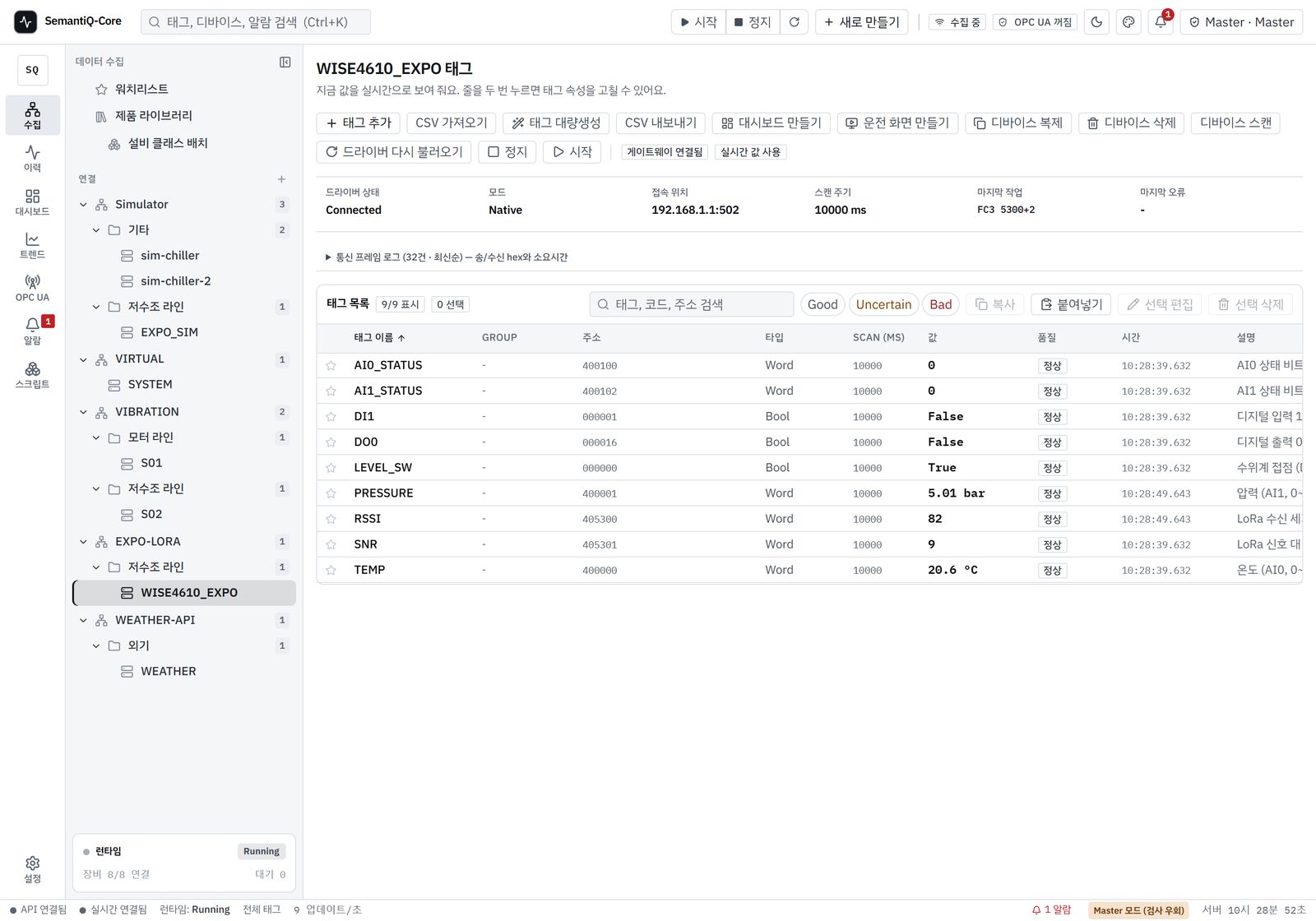
Modbus, OPC UA, LS and Mitsubishi PLCs, MQTT, REST sensors and external databases. Each device is polled on its own, so if one stops responding the rest keep collecting.
Historian
History storage
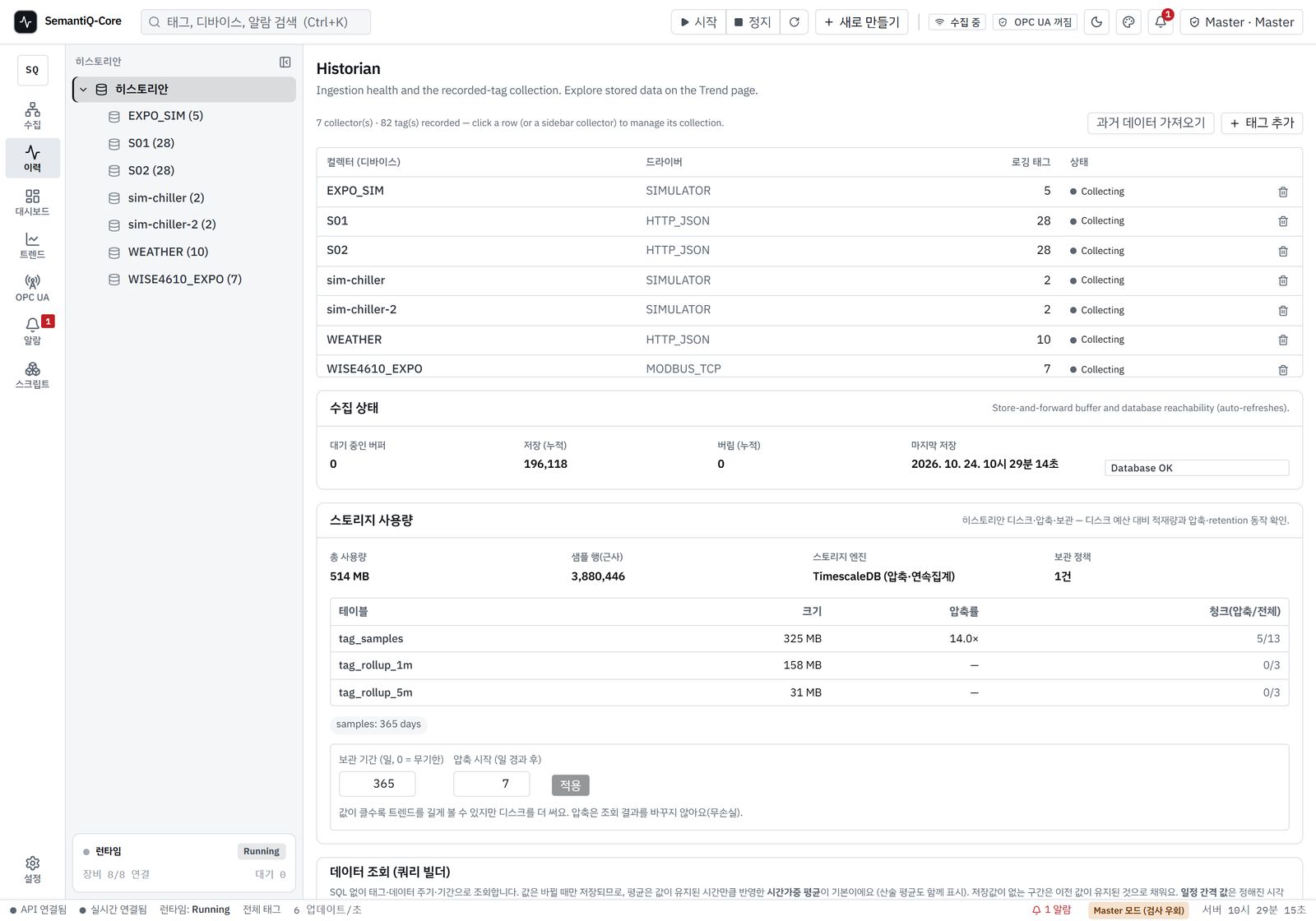
Time-series storage on TimescaleDB (PostgreSQL). Pre-built 1- and 5-minute rollups make a full year quick to query, and if the database goes down, data is buffered to disk and written back later.
Web HMI
Operator screens
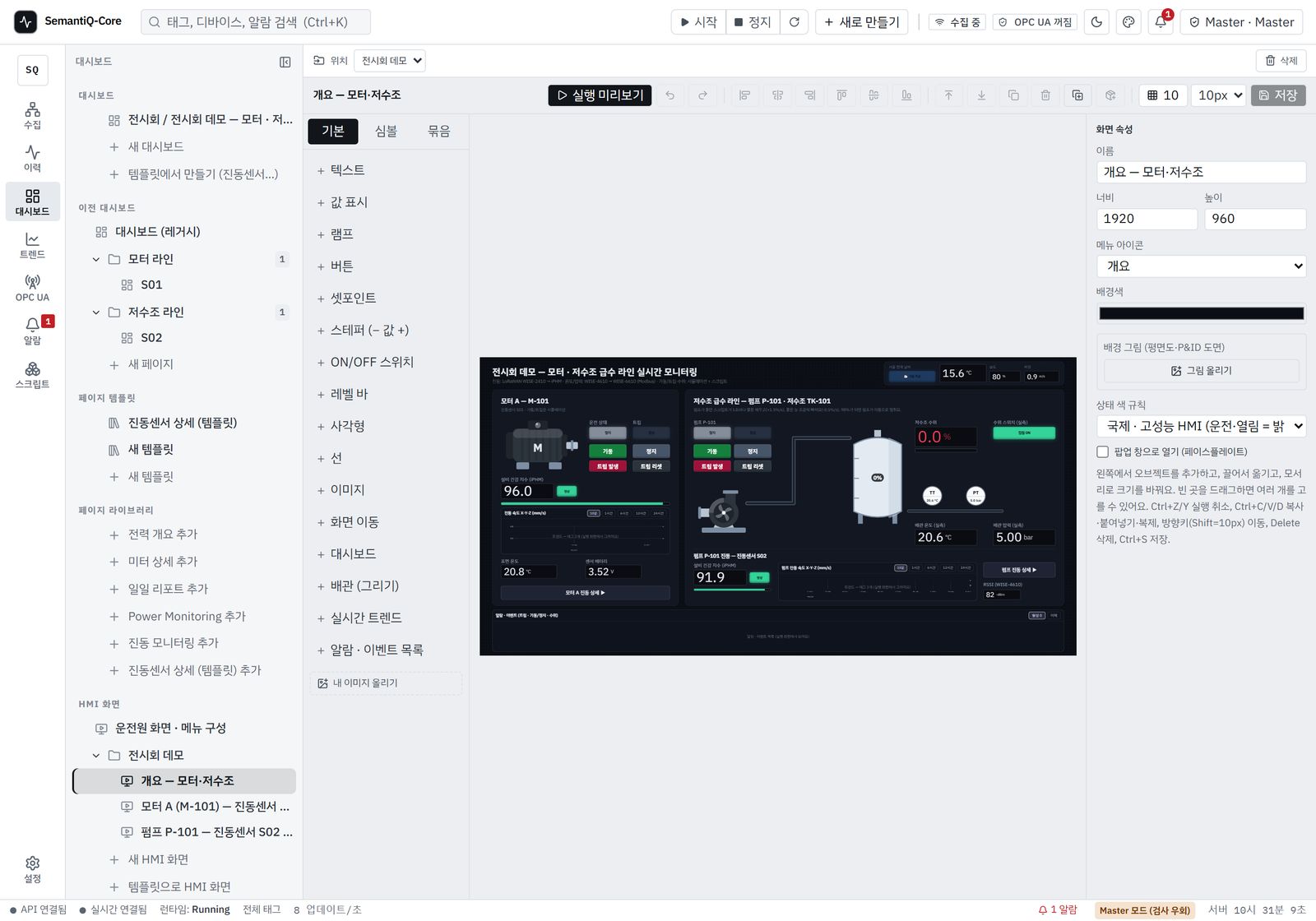
Draw process screens with 29 symbol types — tanks, pumps, valves and more — then monitor and operate straight from the browser. Nothing to install.
Dashboard & Trend
Dashboards · trends
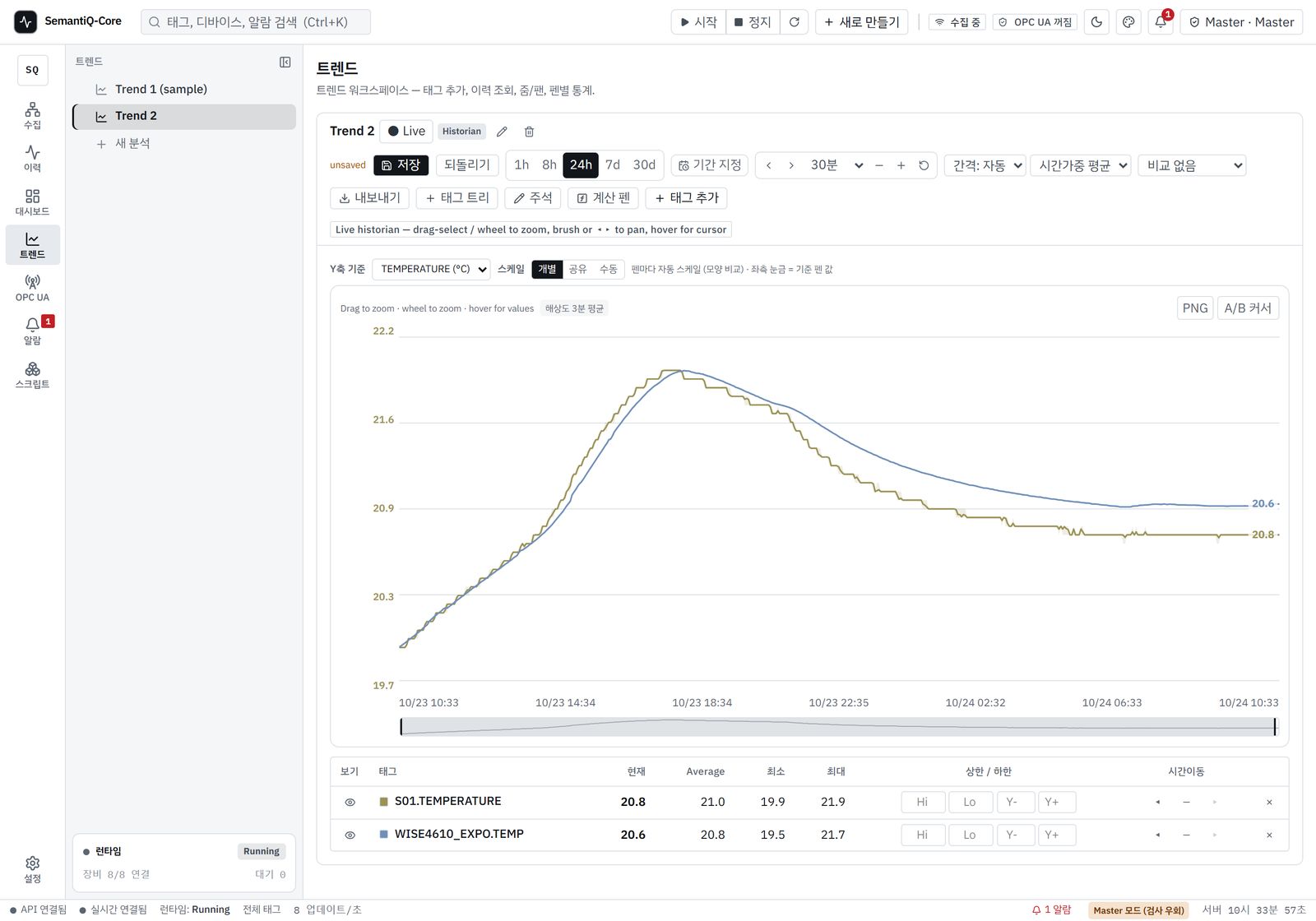
Build status boards from gauges, charts and tables. Time-weighted averages give accurate trend analysis, with CSV export.
Alarm & Ops
Alarms · operations
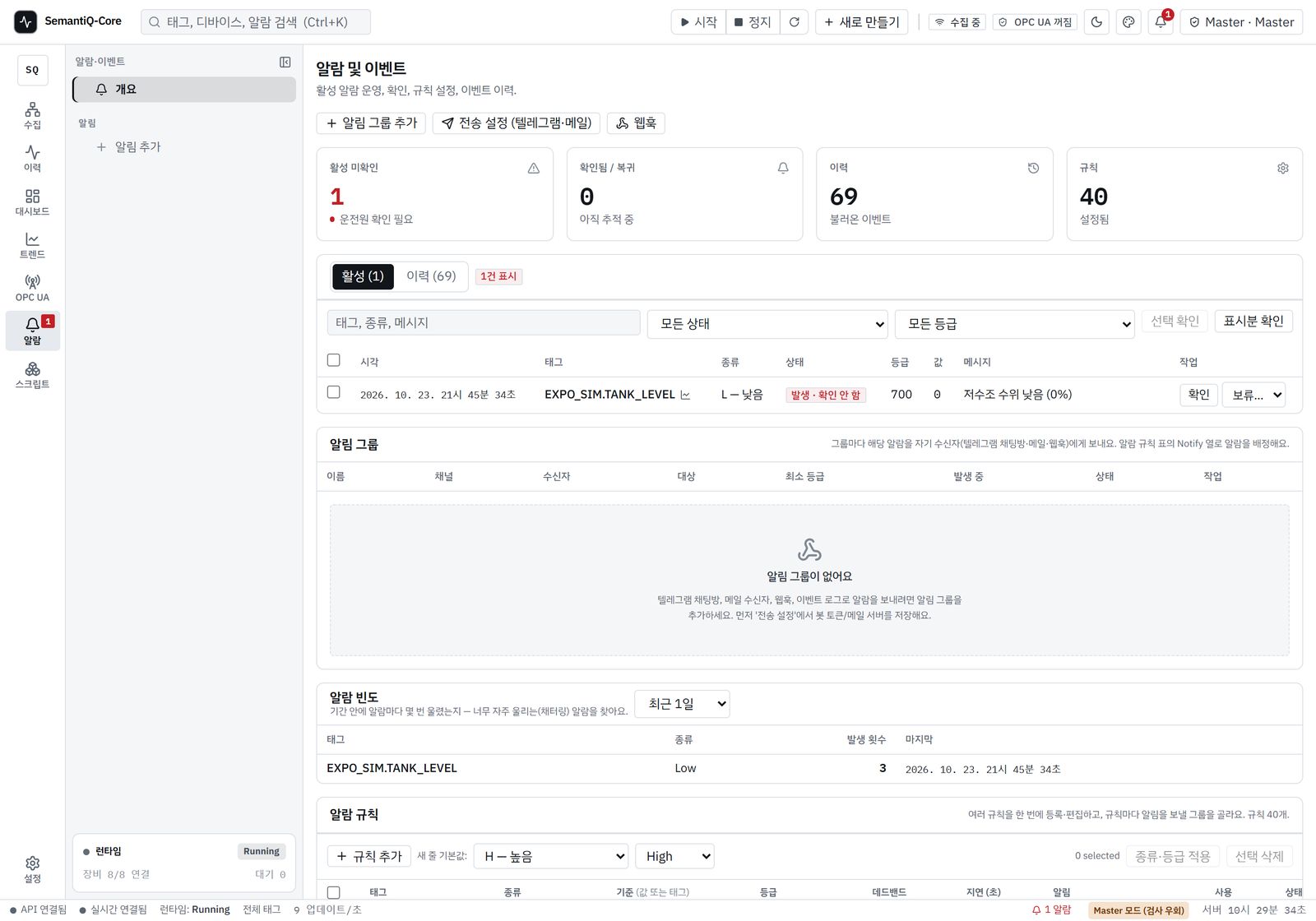
HH/H/L/LL four-level alarms, Telegram and email notifications, calculated tags and conditional actions, scheduled reports and an audit trail — all in one product.
Integration
Integration
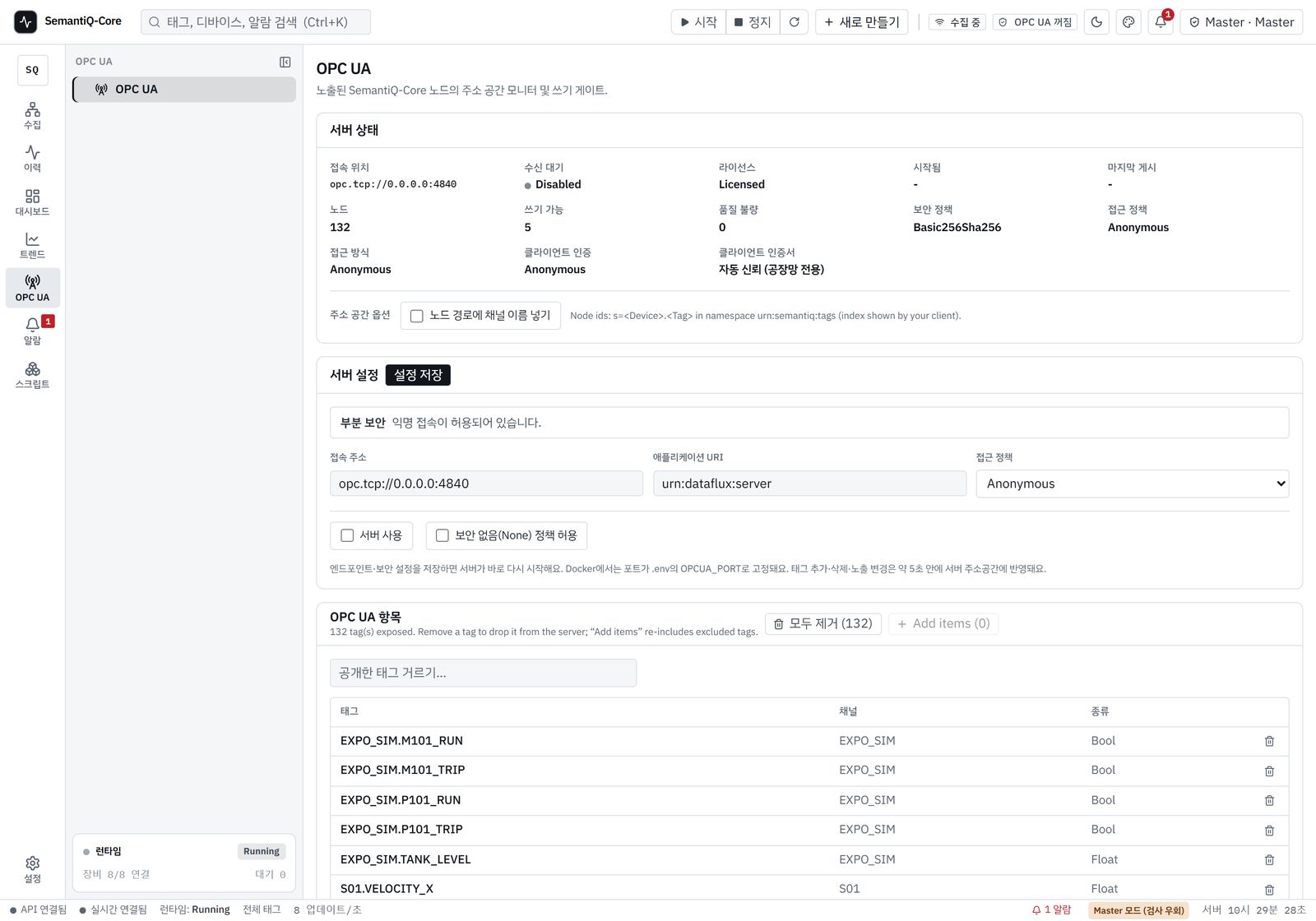
Feeds MES, SCADA and the cloud through a built-in OPC UA server and MQTT (UNS) publishing, and writes to your company database automatically. It connects to AI assistants, too.
What's New
Recently added
Live trend and alarm widgets
Place a live trend chart (1, 6, 12 hours and more) and an alarm list right on the operator screen. Trips are raised as alarms; starts and stops are kept as event history.
MQTT · UNS publishing
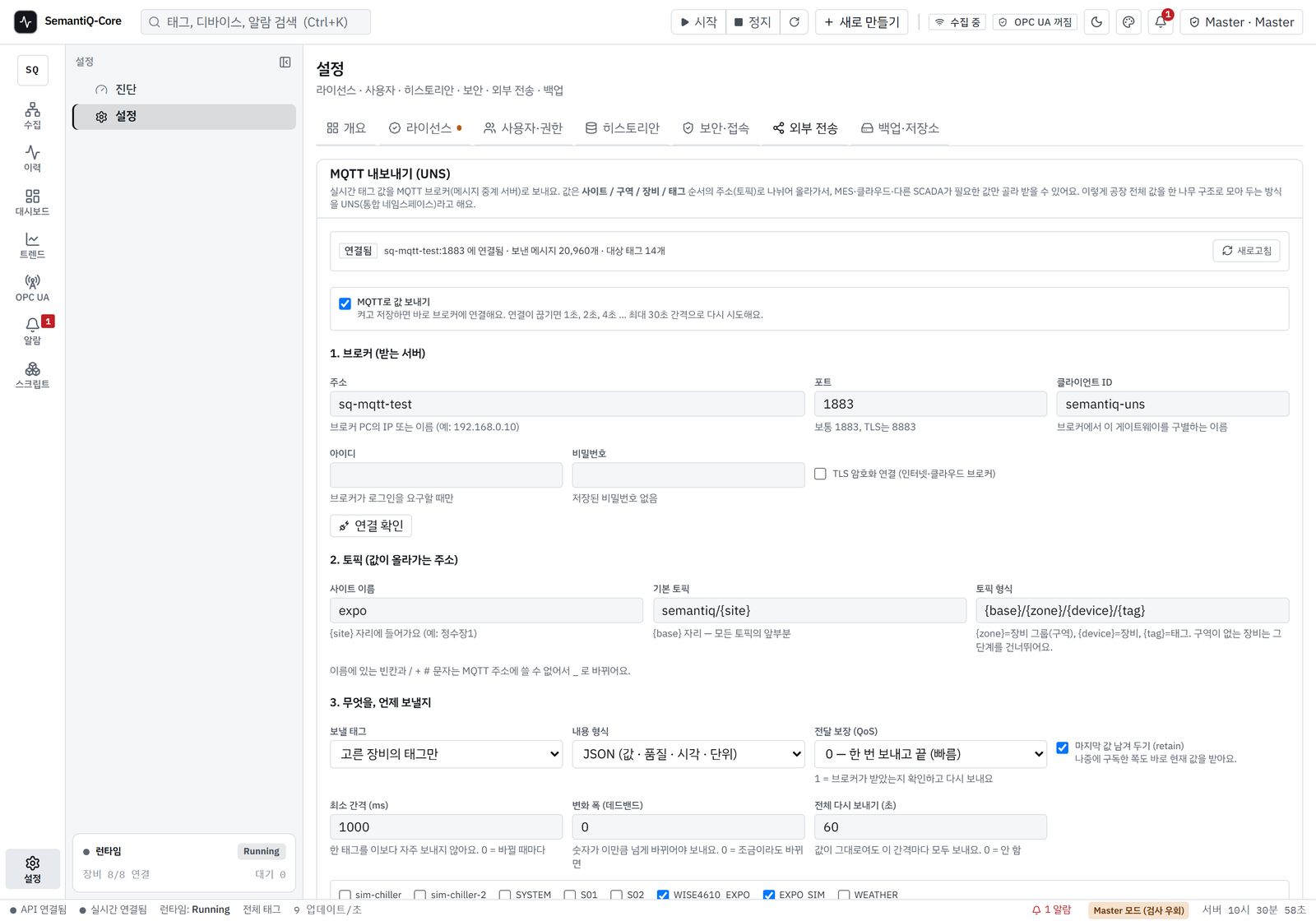
Publishes every tag value to an MQTT broker under site › area › equipment › tag topics. The cloud or any other system only has to subscribe.
AI connection (MCP)
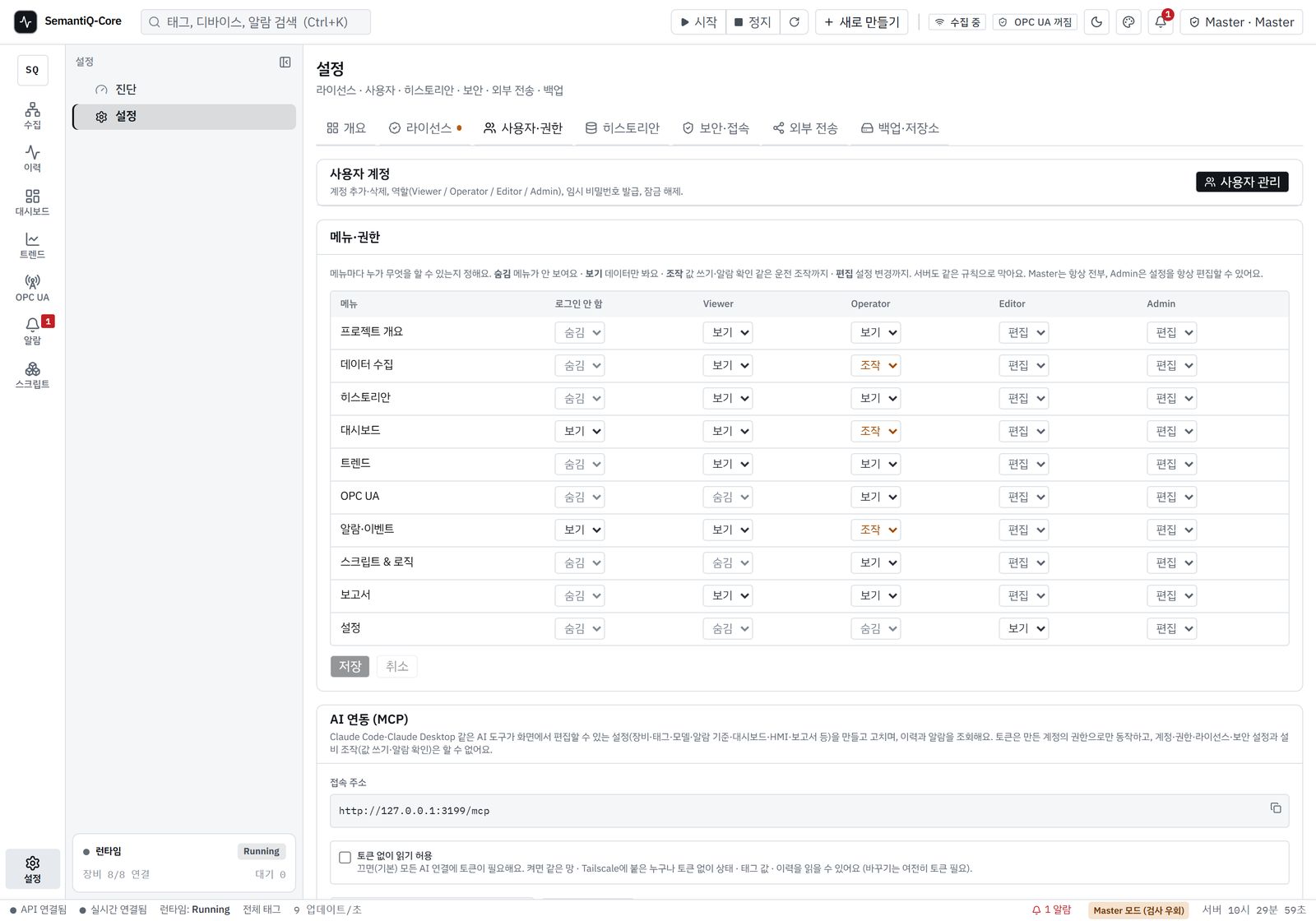
AI assistants such as Claude can look up equipment status and help configure screens and devices. Access is controlled with per-account tokens.
More PLC drivers
Connects directly to LS and Mitsubishi (MELSEC) PLCs. Omron PLC support is planned next.
Linux edge install
Installs and updates with a single command on Linux industrial PCs as well as Windows, including automatic historian database backups.
Larger model library
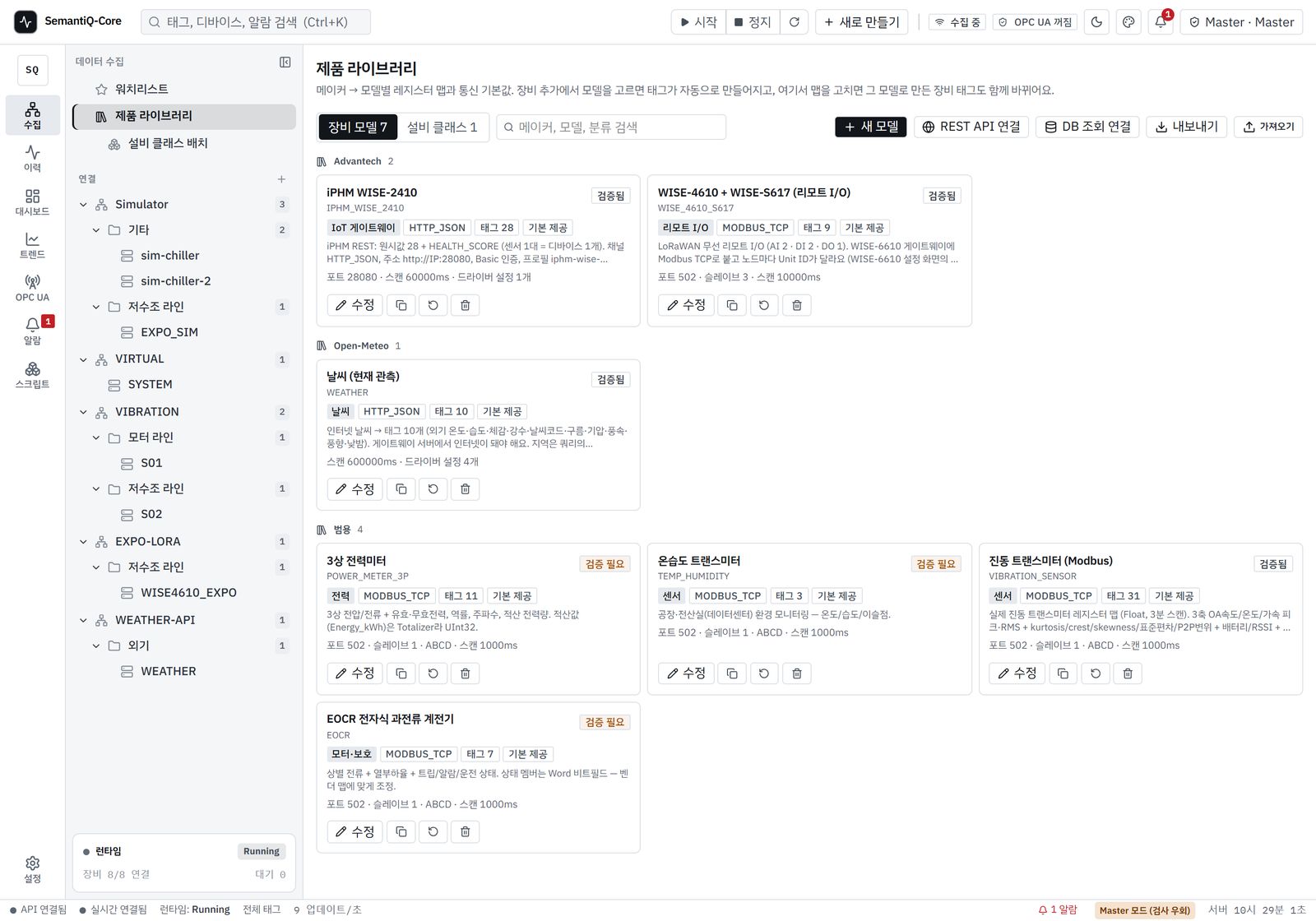
Ready-made models for common devices — wireless remote I/O (Advantech WISE), weather (REST API) and more. Pick one and the tags and dashboard are created for you.
Architecture
One core between equipment and screens
One PC sits between field equipment and screens or external systems. Once a value is read, it goes to screens, alarms, history and external outputs at the same time.
Field
Equipment we read from
PLC
LS · Mitsubishi · Modbus devices
OPC UA devices
External OPC UA servers
IoT sensors
REST · MQTT · wireless I/O
External data
Company DB · weather API
Passed down: Device values (Modbus · LS FEnet · MELSEC · OPC UA · REST · MQTT)
Passed up: Setpoints written from screens
SemantiQ-Core
The core, installed on one PC
Data acquisition
Each device polled separately
Real-time processing
Current values · calculations · scripts
Alarms · notifications
4 levels · email · Telegram
History storage
TimescaleDB
Web server
Screens · API
Passed down: Screens · alarms · outputs (browser · OPC UA · MQTT · SQL · MCP)
Passed up: Operations · setting changes (after permission check)
Use
People and systems using the data
Web HMI · dashboards
Office PC · tablet · phone
MES · SCADA
Served over OPC UA
MQTT broker
UNS topic publishing
Company DB · reports
SQL transfer · scheduled reports
AI assistant
MCP · within account permissions
Screens
Real screens
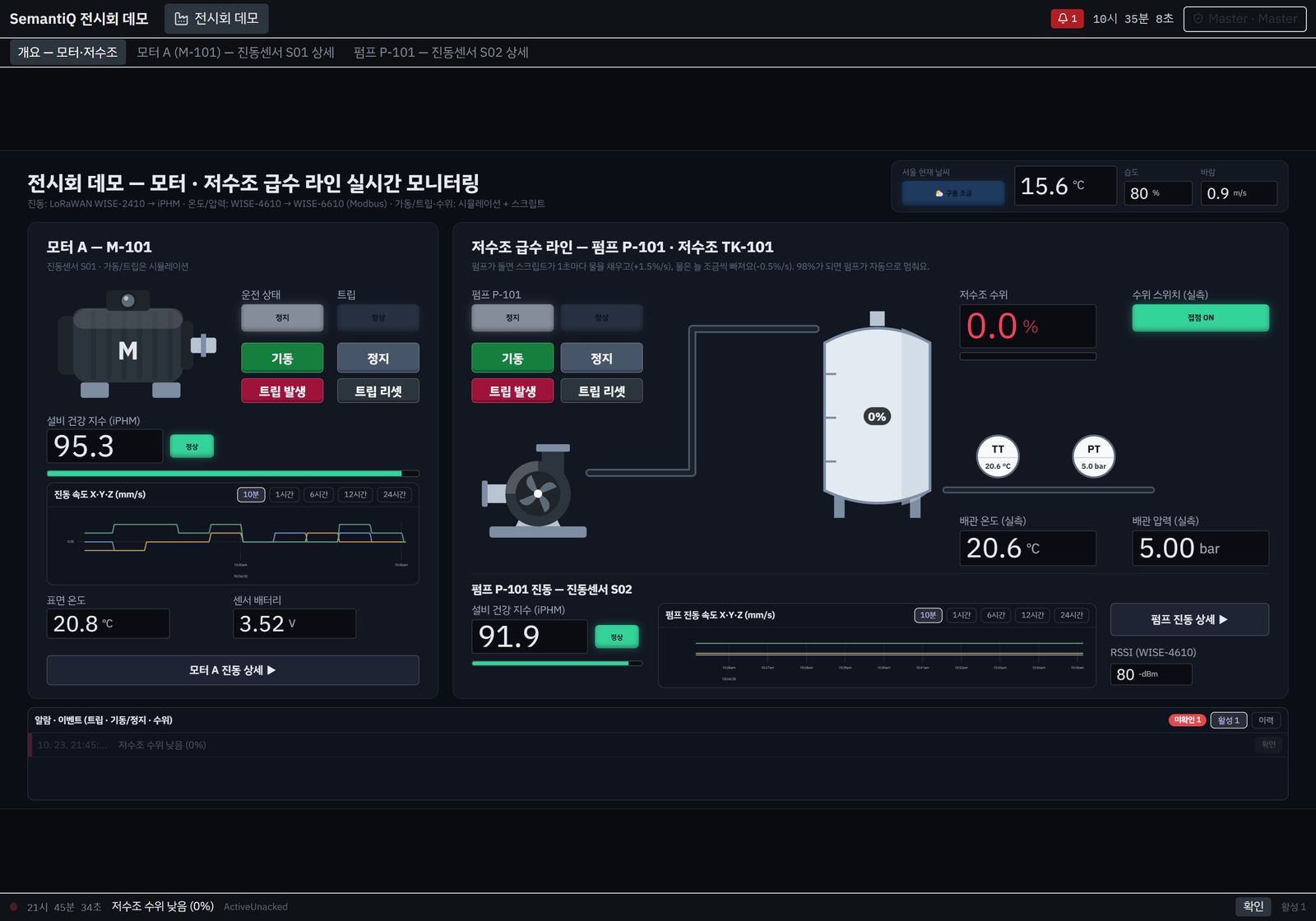
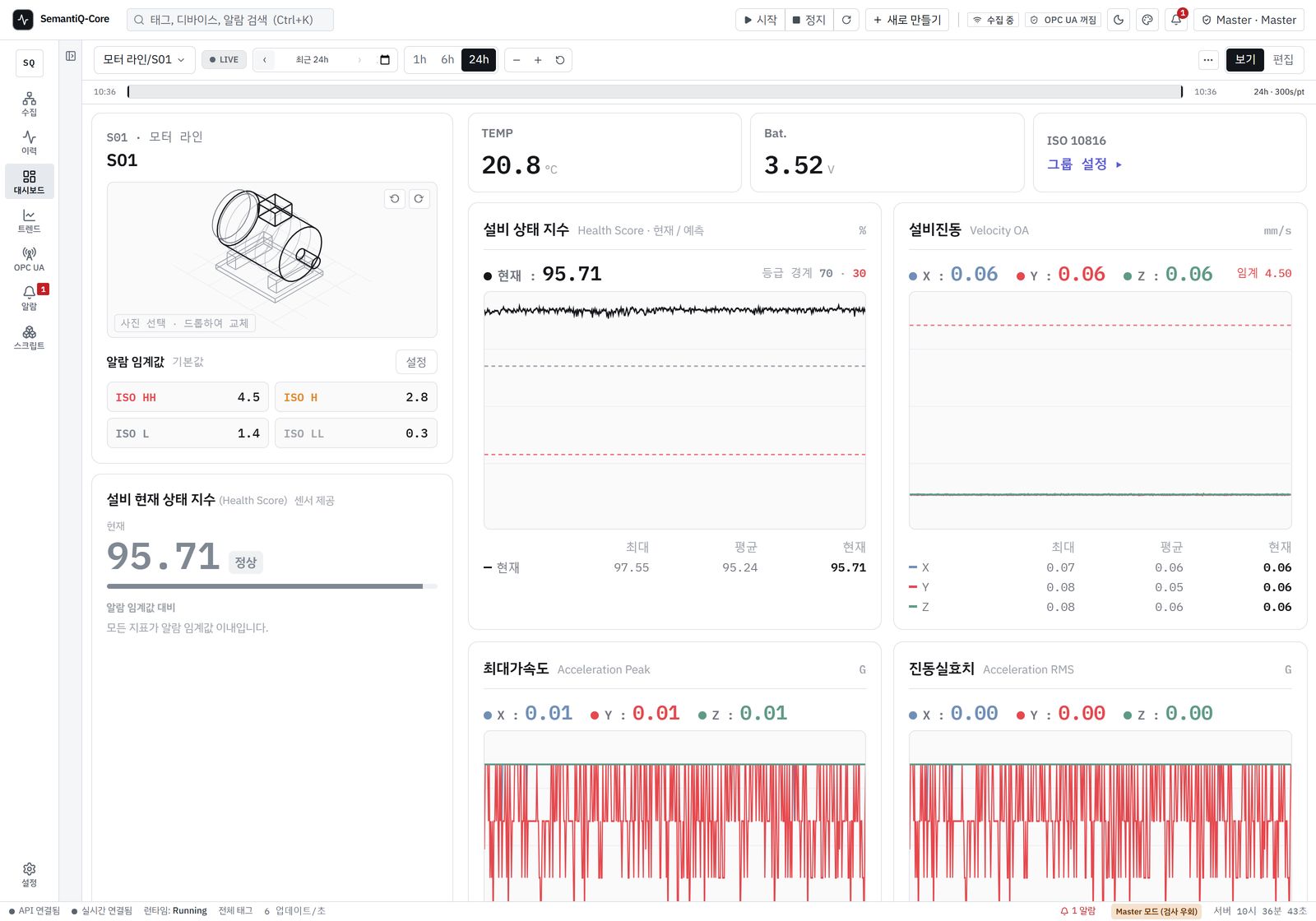
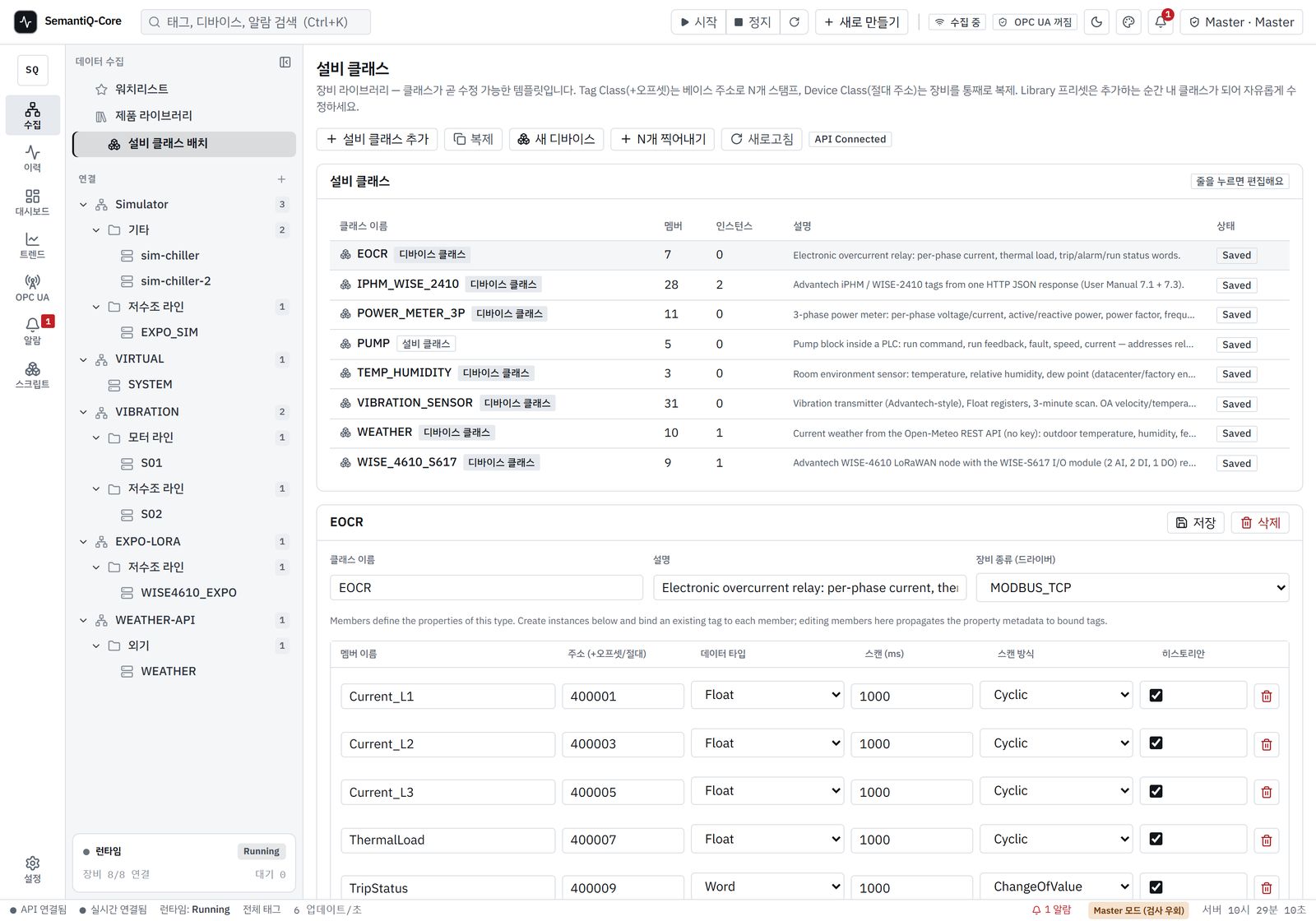
Screenshots are from a Korean-language setup. Screen labels are configurable per site.
Specification
Feature specification
Based on what ships today. Planned items are marked separately.
- Supported devicesDrivers
- Modbus TCP/RTU, LS FEnet, Mitsubishi MELSEC (MC 3E), OPC UA client, REST devices, MQTT
- Omron PLCPlanned
- FINS driver
- Independent scan per device
- Scan timing is calculated per device; a device that stops responding only slows itself down
- Scaling · display format
- Converts raw values to engineering units, and converts values written from screens back before writing to the PLC
- Product library
- Pick a device model to fill in tags and alarm limits; edit the model and every device using it updates
- Recording mode
- On change, periodic, both, or manual — chosen per tag
- Rollups
- Pre-built 1- and 5-minute rollups make a full year quick to query
- Failure handling
- If the database stops, data is buffered to disk and written back after recovery; automatic historian backups
- Web HMI
- Draw process screens with 29 symbol types and click to operate; live trends and alarm lists inside the screen
- Phone view
- On narrow screens the same HMI is rearranged as a card list
- Equipment detail page
- Creating a device also creates a detail page with its values, settings, trends and alarms
- Dashboards
- Gauges, charts and tables; page templates give one page per device
- Trends
- Choose period, interval and aggregation; time-weighted averages; CSV export
- Untrusted values
- Values with lost communication or bad quality are marked the same way on every screen
- AlarmsHH · H · L · LL
- Four levels — high-high, high, low, low-low — with acknowledge and return tracking
- Events
- Changes worth recording only, such as starts and stops, go to history without raising an active alarm
- Notifications
- Email and Telegram, with recipients per notification group
- Automation
- Calculated tags, condition and event scripts, scheduled reports
- Audit trail
- Records who changed which setting
- OPC UA server
- Exposes collected tags to MES and SCADA; writes are routed to the drivers
- MQTT publishingUNS
- Publishes to a broker under site › area › equipment › tag topics, and cleans up old topics when a tag is renamed
- SQL transfer
- Writes to company DB or MES tables on interval, condition, value change or alarm state
- AI integration (MCP)
- 21 read and 15 change tools. Runs only within account permissions; writing equipment values, accounts and licensing are blocked
- Installation
- Windows and Linux PCs; install and update with a single command
- Licensing
- File-based activation, usable in air-gapped plants
- Backup
- Back up and restore devices, screens and accounts as a single file
Built for the plant floor
One PC, open in a browser
Install it on one Windows PC or Linux box, then open the address from any office PC or tablet.
Pick a model, get the tags
Choose a device model and its tags and alarm limits fill in. Change the model and every device using it follows.
One configuration file
Devices, screens and accounts live in a single file, so backup and migration are simple.
Works on air-gapped sites
Licensing is done with a file, so it runs in plants with no internet access.
We can show it to you right now — no equipment needed
We demo it with a simulator that reproduces the equipment on your site.
Request a demo